


Zoccer on mobile – what the browser experience actually gives you
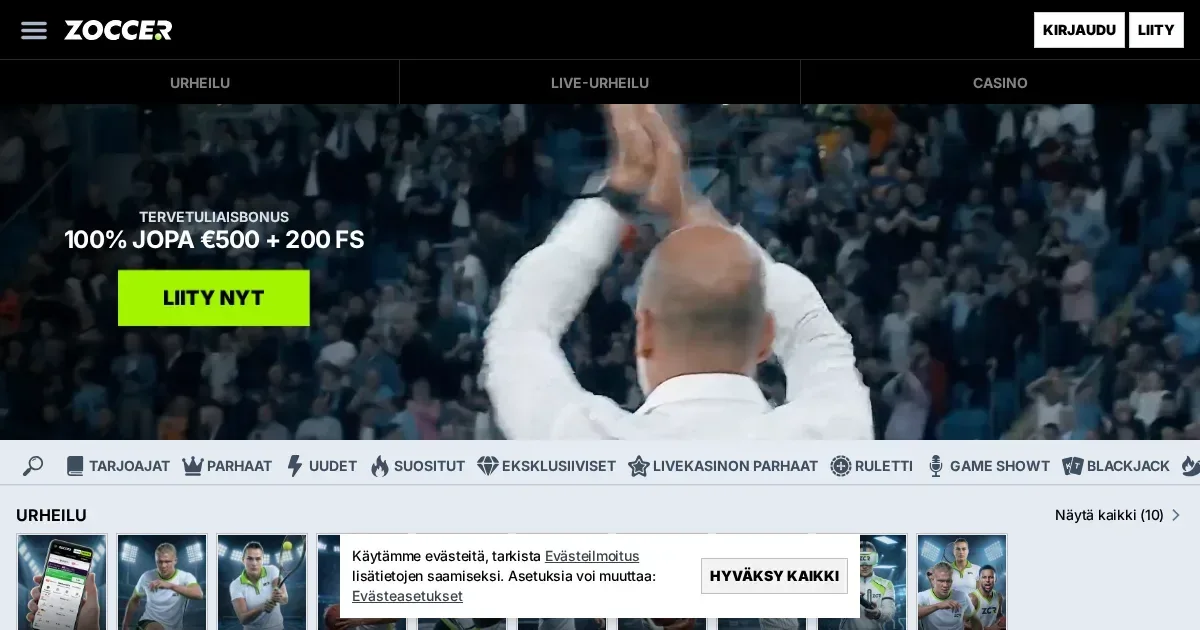
















Zoccer runs entirely through a standard mobile browser, so there is nothing to install before you can start. Load the site on any iOS or Android device, log into your existing account, and the full interface is available – slots, live tables, sports betting, cashier and live chat. The same credentials work across desktop and mobile; there is no separate registration.
Playing Zoccer from a phone
Getting onto the site from a phone takes four steps:
- Open your mobile browser (Chrome, Safari or Firefox all work).
- Go to zoccer-casino.com.de directly – type the address rather than following a link you did not request.
- Log in with the email and password on your account.
- Select the section you want – slots, live games, sports or the cashier – from the navigation menu.
Your account balance, bonus status and VIP level carry over exactly as they are on desktop. Deposits and withdrawals go through the same cashier, including USDT and any other payment route on your account.
What Zoccer's mobile site covers
The library of 14,509 games is accessible through the browser, with no titles gated to desktop only. That includes the full slot catalogue of over 11,800 titles, the jackpot section, game shows, and the live dealer tables. The sportsbook covers football, tennis, basketball, ice hockey, table tennis, horse racing, e-sports and virtual sports – all available from a phone.
Cashier on mobile
Deposits and withdrawals work through the mobile cashier without any additional steps. USDT transactions process the same way as on desktop. Withdrawal requests are handled by the financial department Monday to Friday, 6 AM–5 PM GMT, within three business days of submission – that schedule applies regardless of whether you requested the withdrawal from a phone or a computer.
Support on a small screen
Live chat is available around the clock and loads cleanly on a phone browser. If you prefer email, [email protected] handles general queries and [email protected] is there for formal complaints. Response times on email are not fixed to a specific window, so live chat is faster for time-sensitive issues.
Where the mobile experience falls short
A browser on a small screen handles the core well, but some areas get cramped. Live dealer tables with multiple side-bet panels can feel tight in portrait mode – rotating to landscape helps. The game show section, with titles like Crazy Time, carries a lot of on-screen animation that taxes battery and data faster than a slot does.
Navigating a library of this size through a phone browser takes more scrolling than a dedicated app would. Search and filter tools are there, but the interface was not built mobile-first, so some menus need a pinch or a double-tap to read comfortably.
Verification documents – certified ID, proof of residence, payment-method statements – can be photographed and uploaded directly from a phone, but the upload interface is easier to use on a wider screen if you have the option. The 10-day window the operator gives to complete verification after a request means there is no urgency to rush it on a small screen if a laptop is available shortly after.
A short checklist before your mobile session
- Use a private or trusted connection – avoid open public Wi-Fi for deposits and withdrawals.
- Type the address directly – zoccer-casino.com.de – rather than using a saved link from an unknown source.
- Sign out when done on a shared device – the session stays open until you close it explicitly.
- Set a deposit or loss limit before you start if you want a spending cap in place – contact support via live chat or email to arrange a self-exclusion or account restriction.
- Check your battery and data before a live-table session – game shows and live roulette stream continuously and will drain both faster than slots.
Responsible gambling on mobile
Playing on a device you carry at all times makes it easier to dip in at any hour. The 18+ age requirement applies regardless of the device, and any self-exclusion request made through Zoccer's support covers mobile access as well as desktop.
If you want to set boundaries or step back, the following free services are available in the UK:
- BeGambleAware – free advice and support
- GamCare – National Gambling Helpline: 0808 8020 133 (free, 24/7)
- GamStop – free national self-exclusion across licensed sites
- Gamban – blocking software for all devices
If a device is shared with a younger person, parental-control software such as Net Nanny or Qustodio can block gambling sites at the device level. This site is for players aged 18 and over (18+) only.
Frequently asked questions
Does Zoccer have a dedicated app to download?
Zoccer does not require a download. The site runs through a standard mobile browser on iOS and Android, with no app installation needed to access games, the cashier or support.
Can I deposit and withdraw using USDT from my phone?
Yes, the mobile cashier supports USDT deposits and withdrawals the same way the desktop version does. Withdrawal requests are processed Monday to Friday, 6 AM–5 PM GMT, within three business days.
Do I need a separate account to play on mobile?
No separate account is needed. Your existing Zoccer login works directly in the mobile browser, and your balance, bonus status and VIP level are the same across all devices.
What games are available when I play through a phone browser?
The full library is available, including over 11,800 slots, jackpot games, live dealer tables, game shows and the complete sportsbook covering football, tennis, basketball, ice hockey, horse racing, e-sports and virtual sports.
Game Providers